



NewNow on the App Store for iPhone

Make the most of
every bottle

PingPing helps you use the skincare you already own: it builds your morning and evening steps from the ingredients, flags products that shouldn't share a night, reminds you about sunscreen when UV is high, and lets you check in with one tap. Skin photos never leave your phone.

  • No sign-up
  • No face analysis
  • Photos stay on device
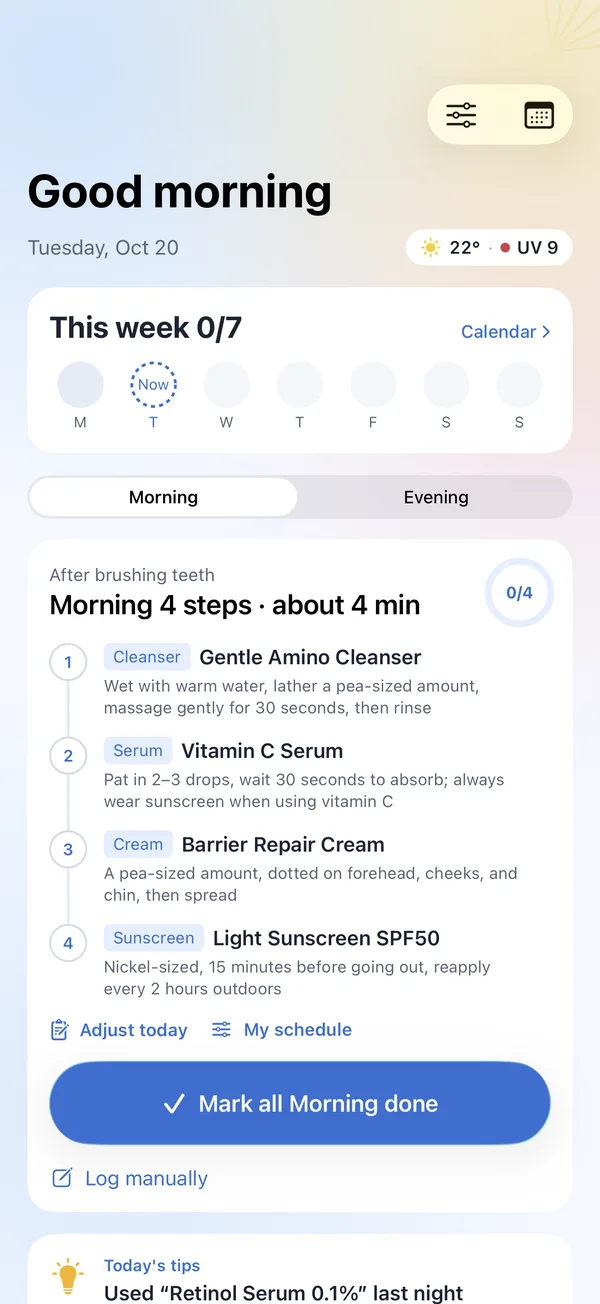
PingPing Home: today's weather and UV, getting-started tasks, this week's check-ins and a four-step morning routine
Why PingPing

A whole shelf of products,
and no idea which one tonight

The more you buy, the more confusing the labels get. PingPing doesn't sell anything or nudge you to buy more — it just helps you use what you already have, properly and all the way to the last drop.

PingPing remembers this for you

For every product in your Cabinet, PingPing reads the ingredient list:

  • Which actives shouldn't be layered on the same night
  • Two products doing the same job — finish one first
  • How long each has been open, and what to use up first
  • Start retinoids and acids slowly, and step up once your skin is settled
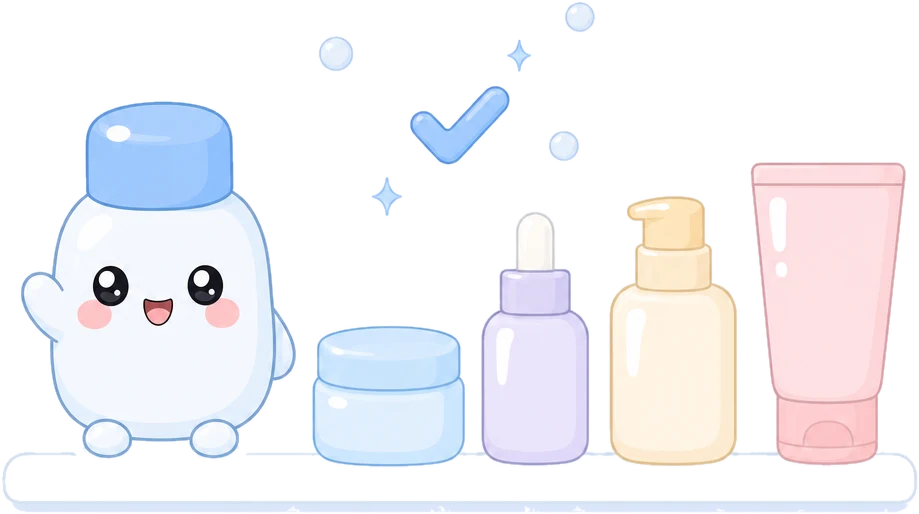
The PingPing mascot next to a row of skincare products
Three steps

Your routine, sorted in two minutes

Answer three questions, add your products, and let PingPing handle the rest.

1Step 1

Add your products

Snap the front of a product or its ingredient list, or pick a Taobao / JD order screenshot — PingPing recognizes what you've bought in seconds.

2Step 2

Get morning and evening steps

Based on your skin type and goals, PingPing arranges the products you own into a routine. Strong actives go on different nights and start at a low frequency.

3Step 3

Check in with one tap

A reminder at your time, one tap when you're done. Not feeling it tonight? Take the night off — it won't break your streak. Four days a week is already great.

Features

A small bottle that sweats the details

From your Cabinet to the weather, from new-product trials to a monthly recap — PingPing makes everyday skincare a little easier.

Cabinet · Ingredient notes

Clashes, duplicates and expiry, flagged first

Every new product triggers a fresh check of your whole Cabinet. Pairs like vitamin C and AHAs, or retinoids and benzoyl peroxide, get split up; products close to expiry are used first.

  • Spot fragrance, alcohol and may-clog-pores ingredients at a glance
  • Set ingredients to avoid and get a heads-up when adding products
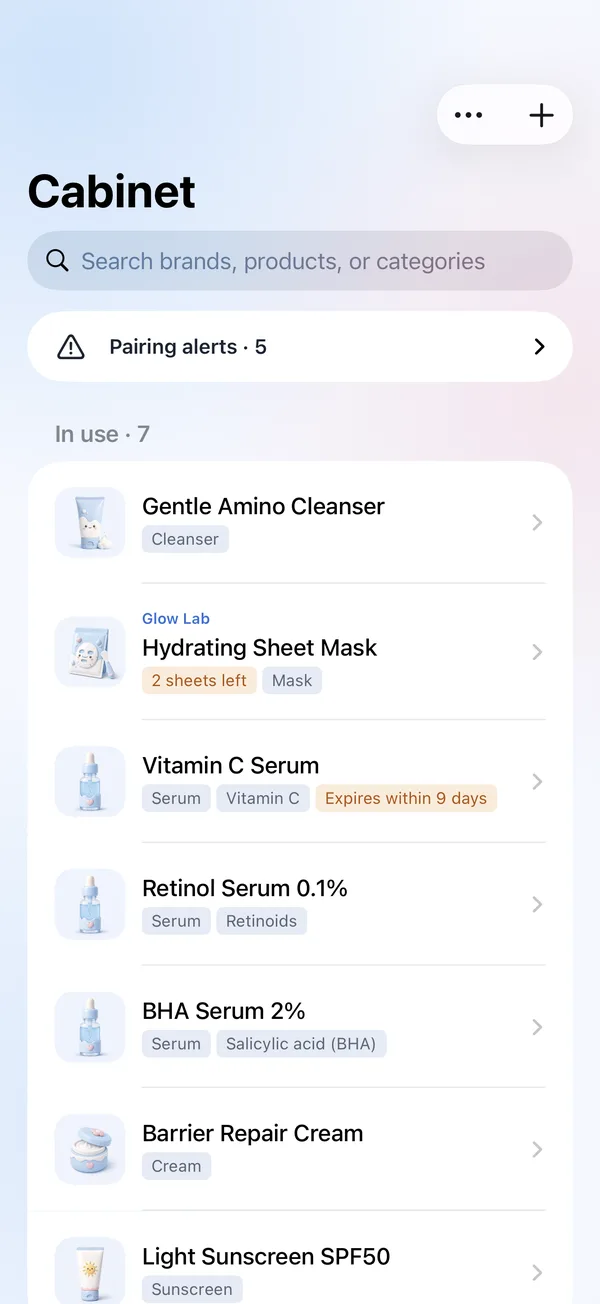
Cabinet: pairing alerts and the list of products in use
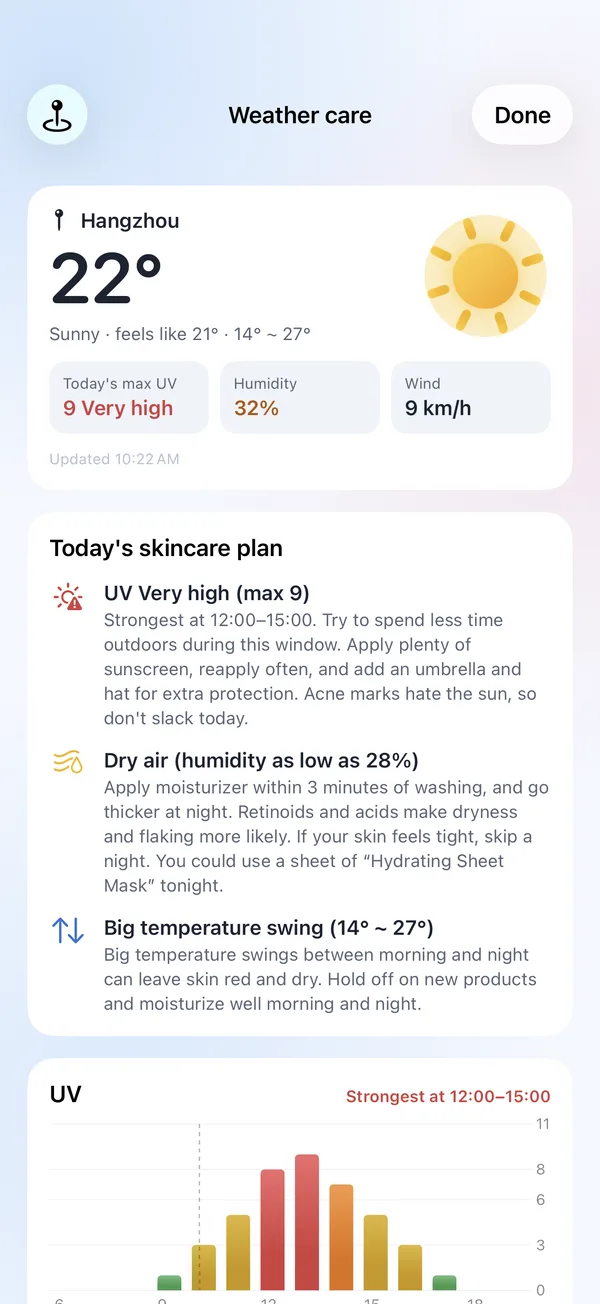
Weather care

Local UV and humidity, turned into sunscreen and moisture tips

When UV peaks, how dry the air is, how big the temperature swing is — PingPing tells you how to care for your skin today.

  • Morning sunscreen reminder with the day's UV
  • Heading out? One tap to be reminded to reapply in 2 hours
Weather care: skincare tips for very high UV and dry air
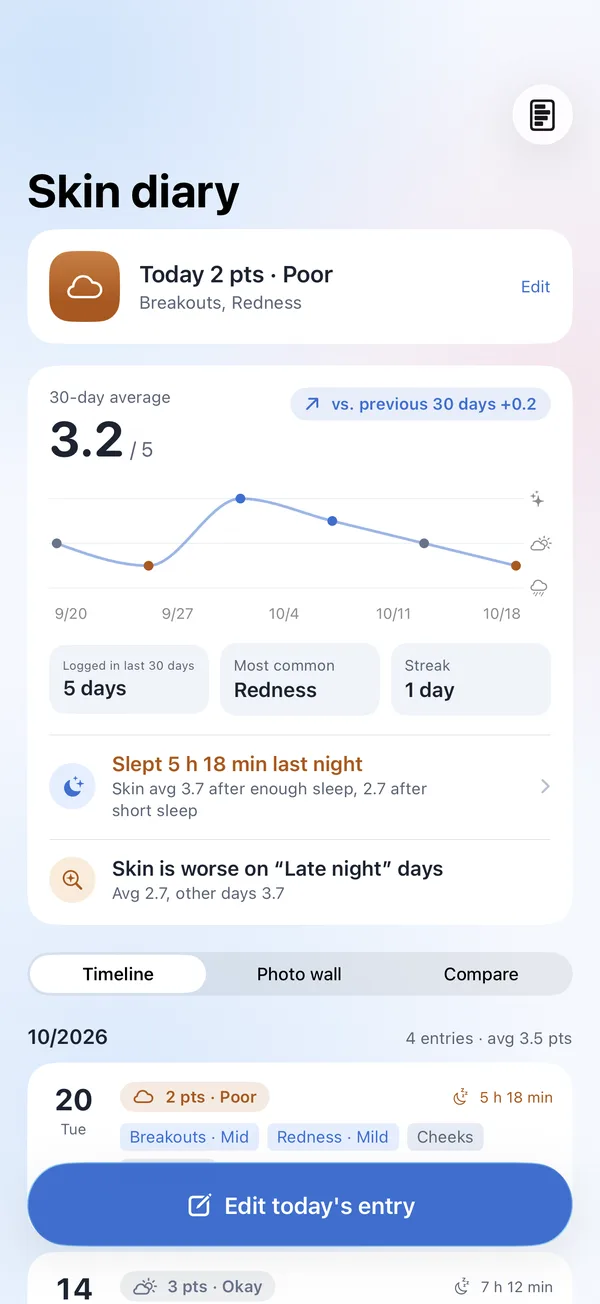
Skin diary · 3D face scan

Ten seconds a day, patterns over time

Give your skin a "weather" rating and tag what's going on. Take a photo, or do a 3D face scan with the TrueDepth camera for easier before-and-after comparisons.

  • See how sleep, late nights and dry air affect your skin
  • Photos and 3D models stay on your phone
Skin diary: 30-day average trend and sleep insights
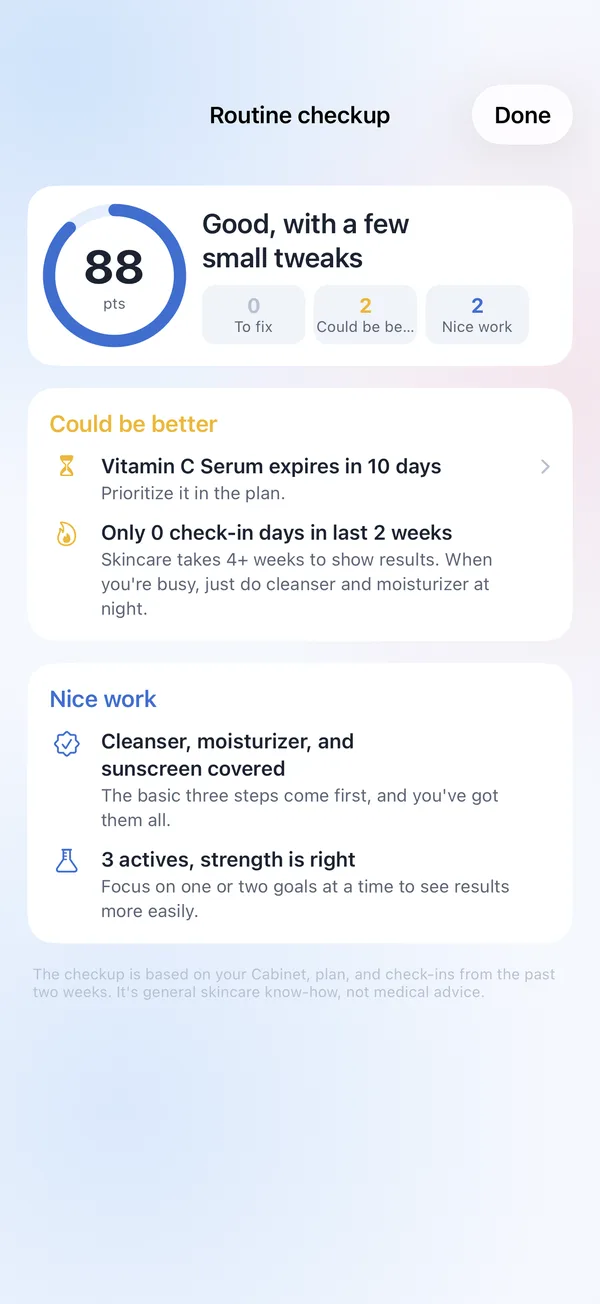
Routine checkup

A quick score for your routine

Missing basics, clashing combos, expired products — PingPing lists what needs attention first, and one tap takes you there to fix it.

Routine checkup: a score of 88 with what could be better and what's going well
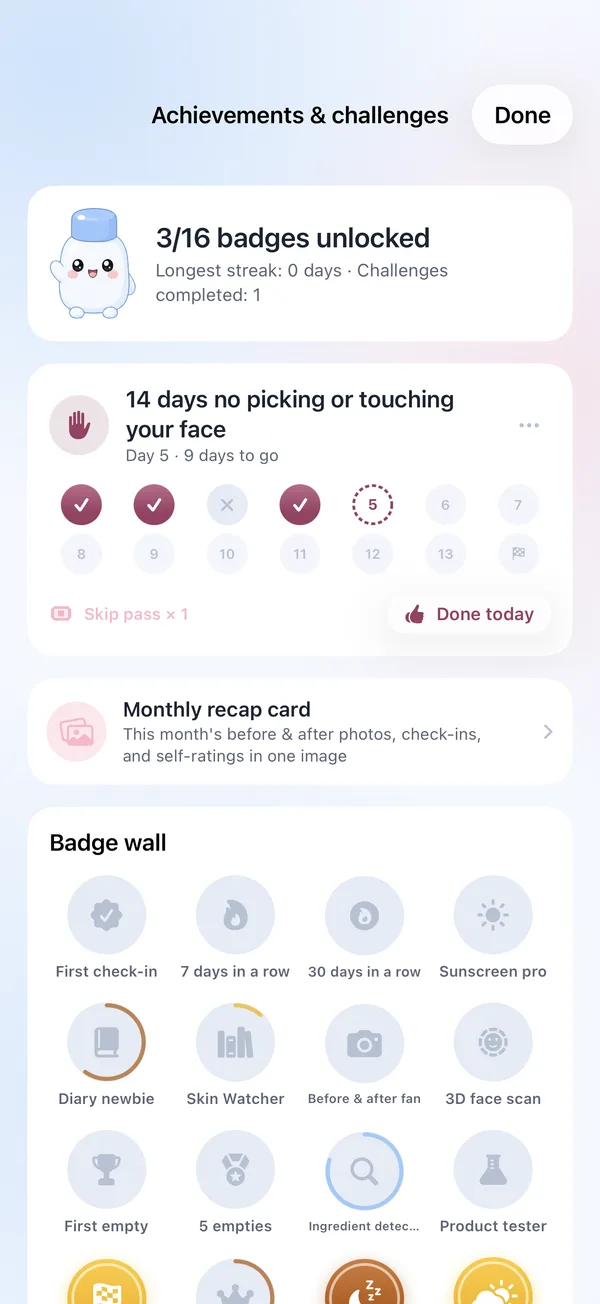
Challenges · Badges · Monthly recap

Make sticking with it a little more fun

Pick a small challenge, like 21 days of morning sunscreen. Skip passes cover a missed day or two, and nights off don't count. Streaks, empties and diary entries unlock badges, and each month you get a recap card to share or save to Photos.

  • Empties log: how many bottles you finished this year, and how long each lasted
  • No rankings — just you compared with last month's you
Achievements and challenges: an ongoing challenge and the badge wall

New product trials

Patch test behind your ear or on your jawline for 2–3 days, then review at weeks 2, 6 and 12 against your diary.

Widgets · Watch · Dynamic Island

See today's steps and UV on your Home and Lock Screen, tick off steps on Apple Watch, and watch your mask timer on the Dynamic Island.

PingPing Advisor

"Can I use retinoid with niacinamide?" The Advisor answers with your Cabinet in mind, and nothing changes until you confirm.

English / 中文

The app, reminders, widgets and Watch app are all in English and Chinese — following your system, or set separately in Settings.

Privacy

Your face stays on your phone

From day one, PingPing decided not to do AI analysis of faces or skin. You rate your own skin, and photos are only for your own before-and-after comparisons.

Photos aren't uploadedSkin photos are stored encrypted on your phone, and 3D models stay on this device. Neither goes to PingPing's servers.
No sign-upNo phone number, no account. Just open it and go.
Location & Health stay putWeather uses only approximate location; Health data is read-only. Neither is uploaded.
You're in controlChoose whether the Advisor can read your self-ratings, and clear everything with one tap.
Read the full Privacy Policy
FAQ

You might be wondering

Will PingPing recommend things to buy?

No. PingPing builds your routine only from products you already have. If a key step is missing (like sunscreen), it will let you know, but it never recommends specific products.

Does it analyze my face?

No. PingPing doesn't do AI analysis of faces or skin, and skin photos and 3D models are never uploaded. You rate and record your skin yourself.

Does Weather care need my location?

You can share an approximate location, or skip it and pick a city instead. Your location isn't uploaded to PingPing's servers; weather comes from Apple Weather.

Can PingPing replace a doctor?

No. PingPing gives everyday skincare suggestions. For pus, widespread redness and swelling, severe pain and the like, PingPing will simply suggest you see a dermatologist.

What happens when I switch phones?

Everything lives on your phone. Before switching, export all data in Me › Privacy & data, then choose "Restore from backup" on the new phone.

Is it free? Is there an Android version?

PingPing is free to download. The cabinet, morning and evening routines, skin diary, weather tips, reminders, widgets and Apple Watch app are always free. PingPing Plus (monthly, yearly or a one-time lifetime purchase) unlocks unlimited Advisor, the weekly skin forecast, routine checkups, 3D face scans and more. We're starting with iPhone; a WeChat Mini Program is being planned.

Get PingPing on your iPhone

PingPing is now on the App Store, free to download. Every bit of feedback shapes the next version.

  1. Tap the button below on your iPhone to open the App Store
  2. Tap "Get" and PingPing appears on your Home Screen
  3. Have a PingPing Plus code? Redeem it in PingPing › Me › PingPing Plus

Requires iOS 26 or later. Not yet available on the China mainland App Store.